
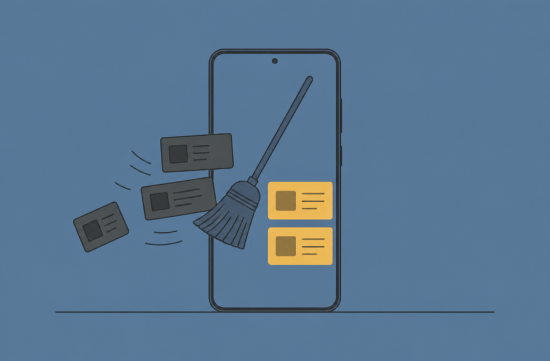
Last week, while scrolling through Reels on the bus ride home, my finger suddenly stopped. There were endless videos of incidents, people blaming each other, and discussions about poor performances.
After turning off the screen, I felt deflated, like dough that hadn't risen. I didn't open the app to see this kind of content; I just wanted a brief laugh.
So, over the weekend, I decided to completely overhaul my Instagram and YouTube recommendations. I was a bit surprised at how well the official menus were organized.
First, there's something you should know. The algorithm learns from the videos I linger on, the ones I watch to the end, and the posts I comment on.
This means that even videos I watched out of anger are counted as interests. A gloomy feed is simply the result of the ingredients I've added to the mix.
Let's start with Instagram. Tap the three horizontal lines in the upper right corner of your profile screen and go to Settings and Activity.
There, if you find Content Preferences, there's an option called Reset Suggested Content. This is a feature that Meta announced it would start testing in November 2024.
When you tap it, it doesn't delete immediately; a confirmation step appears. At this point, it shows a list of accounts I follow, giving me a chance to tidy things up. It also displays frequently appearing accounts and ad topics.
I was quite busy here. I realized I had followed more sensational news accounts than I remembered.
The reset affects the Explore tab, Reels, and recommended posts on the home feed. Posts from accounts I follow will remain unchanged.
According to Meta, this reset does not delete my data or change how ads are served. And as I continue to use it, recommendations will gradually become personalized based on my activity.
So, the reset isn't the end; it's the beginning of a new batch of dough. What I watch for the first few days will determine my feed for the next few months.
There's one more useful feature. It's the Your Algorithm menu in the upper right corner of the Reels screen.
Instagram shows a list of topics it thinks I'm interested in based on my activity, allowing me to add topics I like and remove those I dislike. You can also access this from Content Preferences.
However, since this feature is being rolled out gradually to English users, it may not be visible depending on your account's language settings. Be sure to update the app first.
I removed topics related to politics and incidents and added baking, winter camping, and cafe decor. Within two days, the vibe of my feed had definitely changed. As videos of folding dough started appearing, I felt a sense of relief.
YouTube works a bit differently. The viewing history of my Google account is the key ingredient for recommendations, so adjusting that is the starting point.
According to YouTube's help center, you can delete some or all of your viewing history. It states that if you delete your history and turn it off, video recommendations on the home screen will stop.
At first, having an empty home screen feels a bit strange. However, I actually liked that empty screen because it meant I could only watch what I wanted to search for.
If deleting everything feels overwhelming, there's also a way to temporarily pause your viewing history. Videos watched during that time won't be reflected in recommendations, and you can turn it back on later.
Keep in mind that pausing does not delete existing history. If you want a clean slate, you'll need to delete it separately.
There are also tools you use regularly. If you tap the three dots next to a video title and select Not Interested, it will show you fewer similar videos.
If a specific channel has become boring, you can select Don't Recommend Channel from the same menu. This can also be used for Shorts.
From my experience, the order of operations is important. Reset first, and for the first week, actively search for and watch the videos you want to see to the end. Also, like and save only those videos.
On the other hand, if an unpleasant video pops up, don't just skip it; make sure to select Not Interested. Simply skipping can signal interest, even if you only lingered for a moment.
Honestly, I find it a bit frustrating that these menus are buried deep in the settings. So many people feel their feeds are depressing, and it would be nice to have a button right on the main screen.
Still, ultimately, the feed is shaped by what I choose to spend my time on. It won't magically change with just one button, but it can definitely be steered in a different direction. All it takes is a bit of patience, like waiting for dough to rise.
If it were me, I would reset Instagram this winter and organize my topics, and pause my viewing history on YouTube first. Then I can decide whether to turn it back on after monitoring it for about a month.
The outside air is getting colder by the day, but the screen in my palm doesn't need to be cold too. I hope you try reshaping your feed like kneading fresh dough.
 MorningTrail95



 Kitchen Ideas |
 Spaghetti Flying Religion |
 Giant Squid and Sweet Potato Soup |
 choi family |
 What can make money? |
 zucchini |
 Lime berry |
 Investment Information News Update |

 Shinbaram Dr. Blog |
  breaddough |
  Michigan Enthusiast |
  Only Dentalbay |
  postcard |
  Buckwheat Muktudari Notebook |
  Jellia Angel |
  Victory 1988 |
  Rice Shop Uncle BLOG |
  ASURA |
  hot chocolate |
  rapids |
  Softember |
  mykiwi blog |
  Maria Mom |
  Watch for possible danger |
  northpeak |
  Far East Movement |
  Light of the World |