
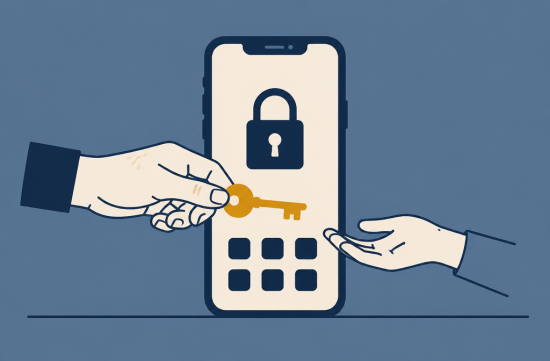
This Thanksgiving, there's a topic I want to discuss with my parents before the turkey comes out: their phone lock codes and email passwords.
Recently, someone I know lost their father unexpectedly. After the funeral, they found themselves completely lost when faced with the iPhone lock screen.
All the bank alerts, insurance company emails, and utility auto-pay details were stored on that phone. Without knowing the six-digit code, they couldn't access anything.
As someone who has worked in IT for a long time, this story made me think deeply. Nowadays, two-factor authentication is standard, so if one phone is locked, it can block access to email and banking apps as well.
As security has improved, the remaining family members have fewer ways to access these accounts. Therefore, in this article, I will outline how to organize digital assets in advance.
First, let's talk about Apple. Apple has a feature called Legacy Contact.
In your parents' iPhone settings, they can tap their name and go into the login and security menu to designate a Legacy Contact. Once designated, an access key is created.
When they later request access to the account, both the access key and a death certificate will be required. This is clearly stated on the Apple support page.
It's important to note that Apple does not assist in finding or reissuing lost access keys.
So, it's advisable to store the key on a child's iPhone or print it out and keep it with the will documents. Personally, I would do both.
Even if approval is granted, the account cannot be used indefinitely; access is only available for a specified period. It's wise to plan ahead for downloading photos or notes.
Next is Google. If your parents use Gmail, they should set up the Inactive Account Manager.
This feature sends notifications to a designated person if the account is inactive for a specified period. They can choose up to 10 people to receive these notifications.
Each person can have different data assigned to them. For example, photos can be shared with everyone, while emails can be sent to just one person.
The designated person must verify their identity via phone number to receive the data. This prevents someone from simply intercepting the notification email, which is reassuring.
If they use Facebook, it's also worth setting up a memorial account manager. However, this feature has limited permissions.
The manager can only pin memorial posts and change the profile picture. They cannot log in or read personal messages.
What about the law? In California, the AB 691 bill established laws regarding access to digital assets, which took effect on January 1, 2017.
This law recognizes the rights of fiduciaries, like executors, to access the deceased's digital assets. However, it clearly states that companies are not obligated to provide passwords or unlock devices.
Companies can decide whether to grant full account access or just provide copies of data. Ultimately, relying solely on the law could mean waiting months just to receive a few photos.
It's worth noting that even if you know the phone lock code, logging into the deceased's account could violate service terms. Therefore, setting up official features in advance is much cleaner.
So, here's the order I recommend: First, write down a list of the accounts your parents use.
Include email, bank, social security online accounts, Medicare, phone service providers, and subscription services like Netflix. Be sure to highlight any services that have monthly payments.
Second, do not write the passwords directly on that paper; instead, store them in a password management app or in an envelope. The most important thing is the phone lock code.
Third, help your parents set up the Apple Legacy Contact and Google Inactive Account Manager directly on their phones. I found that it only takes about 20 minutes for both.
Fourth, it's a good idea to mention all of this when creating a will or living trust. Just adding a line in the document about who will manage the digital assets can make things much easier later on.
Of course, every household has different asset structures and account situations, so keep in mind that this can vary based on personal circumstances. It's safest to confirm the trust or will language with an estate planning attorney.
Bringing this topic up isn't easy. For parents, it might feel like being asked to prepare for departure.
I recommend starting with a conversation about backing up photos. Saying something like, "I want to make sure the grandkids' photos are safe" usually encourages them to hand over their phones willingly.
The holidays, when the whole family gathers, are actually the best time to do this. This year, I suggest setting aside just 20 minutes after dinner for a cup of coffee to discuss it.
 AcornHero








 Conflite Teacher |

 Tainami American Travel Story |

 tarve7 |

 puddingcat |

 American Politician Community |

 UCLA Captain |

 Until the Day It Gets Better |

 Roman Pan |


 Shining Our Own World |
 Raymond K. |
 gravity |
 714 Success Era Real Estate |
 Investment Beginner Company Information Encyclopedia |
 musicque |
 The Gelaton |
 ovelion |
 Chicagonian |
 Freedom Yea |
 AZ Road Master |
 glenix39 |
 Something is popping in the situation |
 orvella |
 vella |
 comets |
 Banana |
 Yes Dorian |
 Minnesota Sonata N |
 zentar |