
Black Friday is just a week away. This year, it seems that many people are asking their AI shopping assistants before filling their carts.
Until last year, I used to open ten tabs to compare prices and would get so tired that I just ended up buying whatever. This year, I've changed my approach a bit.
First, let's look at the numbers. According to a forecast released by Adobe at the end of September, U.S. online sales during the holiday season (November 1 to December 31) are expected to reach $275.1 billion, a 6.7% increase from last year.
Even more surprising is the AI aspect. They predict that traffic coming to shopping sites through chatbots or AI browser links will increase by 130% throughout the season, and on Black Friday alone, it's expected to rise by 95%.
Online sales on Black Friday are also projected to reach $12.9 billion, a 9.2% increase, while Cyber Monday is expected to see $15.1 billion, a 6.2% increase. On days when money flows in, prices change frequently.
This means that many people are already using these tools. The question is, how do you use them?
First up is Amazon. The AI assistant previously known as Rufus was renamed Alexa for Shopping on May 13 of this year. You can access it by clicking the handwritten A icon on the app or website.
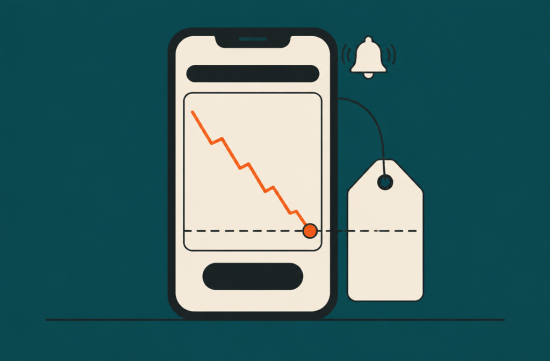
The most useful feature is the price history. It used to show prices for a maximum of 90 days, but now you can see price trends for up to a year.
This is important because it allows you to verify if the Black Friday discount is truly the lowest price. If an item was sold for less last spring, there's no need to rush to buy it now.
You can also set price alerts by voice. Just ask on the product page, "Let me know when these headphones are 30% off."
A step further is the Auto Buy feature. It automatically places an order using your default payment method when the price drops to your set amount.
However, there are conditions. You must be a Prime member, and it only works for items fulfilled by Amazon. You can cancel your order within 24 hours.
Honestly, I'm a bit cautious about Auto Buy. Since it charges my default card directly, I prefer to receive alerts and make the purchase myself.
Google allows you to set price tracking through shopping searches and AI Mode. You can specify size, color, and your maximum budget, and you'll get alerts when prices drop within that range.
Some retailers also have a feature where Google pays on your behalf using Google Pay. According to Google, it always asks before processing the payment and only proceeds after you confirm the product and shipping information.
The Google Shopping database has over 50 billion product listings, with 2 billion updated every hour. This makes it convenient for comparing prices across various shopping sites.
In the U.S., you can also use similar shopping features within the Gemini app. While chatting, it shows comparison charts, prices by retailer, and where to buy, making it great for brainstorming.
ChatGPT is really useful for creating comparison charts. You just need to mention your budget and purpose, and it helps narrow down your options.
However, you shouldn't rely solely on it for prices. Last month, the UK consumer group Which? asked ChatGPT for the lowest prices on 25 popular products, and it only correctly identified both the retailer and the lowest price for 8 of them.
In recent months, it has provided current prices as if they were the lowest or even brought up prices for entirely different models. OpenAI also advises checking the retailer's site for accurate pricing and stock information.
So my conclusion is this: use chatbots for selecting options, and verify prices on the retailer's original page. Just dividing the roles can significantly reduce mistakes.
Adobe has also summarized when it's advantageous to buy specific items. They predict that TVs, toys, clothing, electronics, and furniture will see the biggest discounts on Black Friday.
Conversely, electronics and computers peak on Cyber Monday, with discounts expected to be up to 30% for electronics and 23% for computers.
This year, Black Friday is on November 27, and Cyber Monday is on the 30th. If you're planning to buy a laptop, it's better to wait until Monday instead of rushing on Friday.
To summarize my routine: I decide on the items I want to buy this week.
For Amazon items, I check the one-year price history and set alerts. For items from other retailers, I keep price tracking on Google.
When I receive an alert, I double-check the model name and seller on the retailer's page before making the purchase. Just following this one step can almost eliminate buying the wrong item.
Also, be cautious with unfamiliar shopping links recommended by AI. As the year-end approaches, fake discount sites also increase, so make sure to verify the address if it's a site you've never seen before.
While AI has made shopping easier, ultimately, the wallet is mine. This year, I plan to let AI handle the alerts while I press the purchase button myself.
 AnaMom
 goldenroadtraveler1919







 West Kong |

 havero70 |

 Grow Your Gut Bacteria Well |

 choi family |

 content |

 Famous Attractions in the United States |

 Community Cross |

 People Moon |


 American History This and That |
 San Diego TOP Idol |
 kerkee |
 HAWAII Korean Church News |
 stalion |
 Dala Dala |
 Noodle Noodle |
 Encyclopedia of New York and Surrounding Areas |
 bluebird |
 New York New York NYC |
 Finding Superfoods |
 Dr. Kelso |
 Valley Hong |
 Georgia Springcamp |
 myheart |
 Missouri Kings News Information |
 Going Once |
 monica hong |
 Tainami American Travel Story |
 tarve7 |
 Something is popping in the situation |