
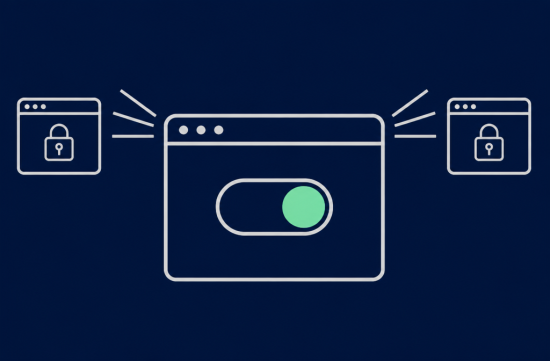
These days, every time you visit a website, a cookie banner pops up, and honestly, most people just hit Accept out of annoyance, right? I used to do the same.
However, California has passed a law that allows you to replace this annoying click with a single browser setting. With about a month and a half until it goes into effect, today I'll explain what this is and how to enable it right now.
The law is called AB 566, officially known as the California Opt Me Out Act. It was signed by the governor on October 8, 2025, and will take effect on January 1, 2027.
The core idea is simple. Web browsers used in California must have a built-in feature to send an opt-out preference signal, meaning they should not sell or share your information.
This setting must be easy for consumers to find and activate, and browser companies must publicly explain how this signal works. The law was spearheaded by the California Privacy Protection Agency (CPPA).
There's one point that can be confusing. This signal itself is not a new concept.
Under the existing CCPA regulations, businesses that apply to California consumers must treat such signals as formal opt-out requests. A well-known signal is the Global Privacy Control, abbreviated as GPC.
In fact, in 2022, the California Attorney General reached a $1.2 million settlement with Sephora, where ignoring the GPC signal was one of the main issues. So, the right already existed, but the problem was that too few people were using it.
Why were so few using it? Because the most popular browsers, Chrome and Safari, did not have this feature built-in. Users generally didn't know it existed since they had to install a separate extension.
AB 566 aims to fill this gap. The concern is that requiring users to learn separately to exercise their rights is unfair, and personally, I believe this direction is correct.
So, do we have to wait until next year? Not at all. Depending on the browser you're using, there are ways to enable it right now. Let's go through them one by one.
First, if you're using Brave, you don't have to do anything. GPC is enabled by default.
The DuckDuckGo browser also has it turned on by default. If you're using the mobile app, you don't need to make any changes either.
For Firefox, you just need to check one box. Go to the Privacy & Security menu in settings, and there's an option to inform websites not to sell or share your data. Just check that box, and you're done.
If you don't see that option because your version is outdated, type about:config in the address bar, change the privacy.globalprivacycontrol.enabled value to true, and restart. I recommend updating first.
Chrome currently doesn't have this switch in the default menu, so you'll need an extension. Privacy Badger, created by EFF, sends the GPC signal, and since it's made by a nonprofit organization, I recommend starting with this one.
The DuckDuckGo Privacy Essentials extension also has the same functionality. However, be careful during the installation process, as it may try to change your default search engine, so pay close attention to the installation screen.
Edge is also based on Chrome, so you can use the same extensions from the Chrome Web Store. Safari currently doesn't have a built-in GPC toggle, so if you're an iPhone user, using the DuckDuckGo or Brave app is a practical alternative for now.
Once you've set it up, you'll want to check if it's working properly. Go to globalprivacycontrol.org, and it will show you whether your browser is sending the signal.
I remember checking it on Firefox for the first time and going to this site; I was a bit disappointed at how simple it was. I regretted not knowing this for years.
It's important to set realistic expectations here. GPC is not an ad blocker.
This signal automatically sends a request not to sell or share my personal information with third parties for targeted advertising. It doesn't mean ads will disappear or that your site login information will be erased.
Another thing to note is that this setting applies on a browser and device basis. If you enable it on your home laptop, it won't carry over to your work PC or phone, so you need to enable it separately on each device you use.
For business owners, there's something to check from the opposite perspective. Starting next year, when this signal begins to flood in from major browsers like Chrome, it will become much more important for websites to properly recognize it.
The CPPA has also announced that it has begun the rule-making process regarding opt-out signals this year. Since the detailed regulations are still in progress, if you operate an online store or booking site, it's wise to ask your cookie banner provider or web developer about GPC compliance now.
To summarize, Brave and DuckDuckGo are already enabled, Firefox requires just one check, and Chrome and Edge need one extension each.
The law will take effect next year, but I can exercise my rights now. It's a welcome change for the system to adjust the default settings in favor of the underprivileged, but until then, the conclusion of today's post is that everyone should invest just five minutes to take care of this.
It might also be a good idea to help your parents enable this on their phones or laptops this weekend. It's usually faster for someone who knows to help out.
 TingHowUSA







 Noodle Noodle |

 figtop |

 Toaster Pizza Magic Show |
 DO Main TODAY |

 Caribbean |

 U.S. Weather Bureau News |

 humpday sonata |

 Mr. Dandory |

 Piano Teacher Blog |

 Korean Blog |
 donggul donggul |
 korvix |
 Noodle Zin |
 Forever Tiger Teacher |
 strongman |
 U.S. Military Recruitment Information |
 |
 cherry cherry |
 Star Way |
 Pleasant K |
 Spaghetti Flying Religion |
 Texas Migration Story |
 Forever Coco is Bangga |
 nougat |
 coloradoman |
 Village Man |
 endone |
 Live and that's it |
 what gives |
 willow woo |