
A while ago, a question came up in a parents' group chat: "I heard Instagram changed to PG-13, so does that mean parents don't have to worry anymore?" Honestly, I thought similarly at first.
To cut to the chase, the default settings have improved, but it doesn't mean you can let your guard down. Today, I want to clarify the differences.
It all starts on October 14, 2025. Meta announced that it would change the default settings for Instagram Teen Accounts to align with the PG-13 movie rating.
This change began in the United States, the United Kingdom, Canada, and Australia. The main focus was to filter out content featuring extreme violence, sexual exposure, and explicit drug depiction.
Posts containing harsh profanity, dangerous stunts, and content that could encourage harmful behaviors like marijuana use were also included in the filtering.
Searches were restricted as well. Words like "alcohol" and "gore" were blocked from returning results. This was added to the existing list of blocked search terms related to suicide, self-harm, and eating disorders.
Accounts that frequently post age-inappropriate content are completely blocked from being followed.
However, you may have noticed that the term PG-13 isn't appearing much in recent articles. There's a reason for that. The Motion Picture Association (MPA) sent a cease-and-desist letter to Meta, claiming PG-13 is their registered trademark.
As a result, Meta changed the wording to "inspired by the 13+ movie rating" starting December 2025. In March 2026, the MPA announced that both parties had reached an agreement.
So now, the name you see in the app is "13+ settings." The name has changed, but the functionality remains intact, which is important to note.
On June 2 of this year, the 13+ settings were expanded globally. This change applies not only to Instagram but also to Facebook and Messenger's teen accounts.
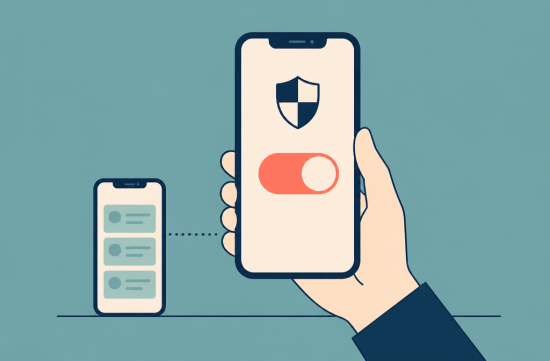
Now, here's the crucial part for parents. Users under 18 cannot change the 13+ settings on their own. To relax these settings, parental or guardian approval is required.
This is where many people get confused. Previously, Teen Accounts for 16- and 17-year-olds could adjust some settings independently. However, according to Meta, parental approval is now required for content standards even for 16- and 17-year-olds.
The issue is that for the approval button to reach the parent's phone, the accounts must be linked. You need to connect the child's account with the parent's account using the supervision feature in Family Center.
If they aren't linked, parents won't even know what settings their child is using. So, the first thing I recommend is to check this connection status.
The second setting is Limited Content. This is a stricter option than 13+, which parents can choose directly.
When this is enabled, even more content is filtered out, and the child is blocked from seeing or posting comments. This feature is quite meaningful for families worried about negative comments or comment battles.
You can find it under Teen Account settings, then What You See, Content Settings. The menu names may vary slightly with app updates, so look for similar items.
The third setting is Sleep mode. This feature turns off notifications from 10 PM to 7 AM and sends automatic replies to DMs. It's enabled by default, but check to see if it's actually being maintained.
The fourth setting is messaging. Teen Accounts can only receive DMs from people they follow or are already connected with. If linked, parents can also check their child's list of conversation partners.
So, what's the impact? Meta reported that teens using the 13+ settings viewed 68% less adult content compared to teens on competing platforms, and those using Limited Content viewed 96% less.
However, these numbers come from Meta. There have been reports that test teen accounts created by researchers still received age-inappropriate content recommendations. So, it's premature to feel reassured based solely on these numbers.
And all of this only applies if the child has entered their age correctly. If they've changed their birthday to use an adult account, the filters are useless.
I welcome the direction companies are taking to make default settings safer. I believe it's unfair to leave child safety solely in the hands of parents.
Still, I don't expect the platform to handle everything for us. The default settings are just a starting point, and it's ultimately our responsibility to build upon them according to our child's needs.
If it were me, I would do the following this weekend: check the child account's birth date, connect to Family Center, discuss whether to enable Limited Content, and confirm Sleep mode is maintained. Just these four things.
The key is to avoid making changes secretly. When you discuss with your child why these settings are necessary while looking at the screen together, there's much less resistance.
Setting this up takes only about 10 minutes. That 10 minutes can significantly change your child's feed, so take this opportunity to check it out.
 Dyno








 rissa |

 Gomo Nim |

 lattepop |

 Well Done Sir |

 butter 90 |

 Exploring American Life Information |

 Tracking 60 Minutes News |
 Choco Choco Star |

 Conflite Teacher |

 Lemon Kim |
 Noodle Noodle |
 blueman |
 Alabama Bang |
 Soy Angelino |
 puddingcat |
 Coco Chanel |
 Nando Raldo |
 The 2000 |
 Mr Bull Jung |
 American Travel Cruise Information |
 vanillatop |
 namico |
 Karina's Blog |
 ASURA |
 Misstic M |
 parlon |
 Mrs New Mex |
 MBTI Detective Agency |
 ShyShy dating |