
Last weekend, I visited my parents and found a notebook in the living room drawer. When I opened it, I saw that it was organized by website with emails, bank, and Amazon passwords.
Honestly, I first laughed, but it wasn't a laughing matter. My own password is half my dog's name with some numbers added. In terms of security awareness, my parents and I are pretty much in the same boat.
So, I spent the entire afternoon setting up passkeys on my parents' phones. To cut to the chase, it was definitely worth it.
First, let me explain why this is urgent. According to a report released in April 2023 by the FBI's Internet Crime Complaint Center (IC3), the amount reported lost by individuals over 60 exceeded $7.7 billion.
That's a 59% increase compared to 2024. When I first saw the number, I thought I had misread it and double-checked.
What's even more striking is that phishing and spoofing were the most common types of reported incidents based on the number of complaints. These are the tactics used to steal passwords through fake texts or websites.
The average loss per person was $38,500. If you get hit once, it can wipe out a chunk of your retirement savings.
Here's something I want to say sharply. Most of the security advice we give our parents ends with "make your passwords hard, don't click on any links."
But this approach has its problems. It requires people to be perfectly suspicious all the time, and if they make just one mistake on a tiring day, it's game over.
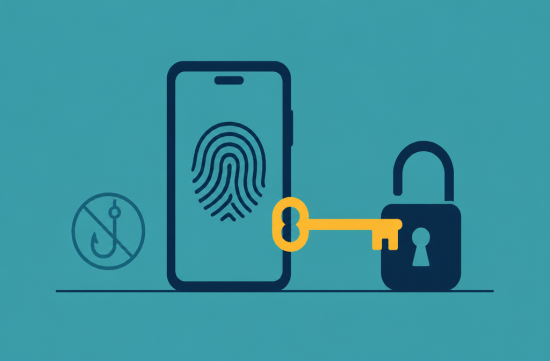
Passkeys change the way access works. Instead of memorizing or entering a password, you retrieve a stored cryptographic key from your phone using a fingerprint, facial recognition, or screen lock PIN.
The key is tied only to the actual website address. So even if you visit a fake bank site, the passkey won't work at all.
If my parents accidentally click on a link, there's no password to give away. I really liked that it prevents relying on human judgment and instead uses a structural barrier.
There's been ongoing discussion in the security industry about how verification codes sent via text can be intercepted by phishing sites. This is why passkeys are considered strong against such phishing attacks.
So where do you start setting this up? I began with Google accounts. Google has been pushing passkeys as the default login option for personal accounts since October 2023.
If you have an Android phone, you can create a passkey by going to the security menu in your Google account settings. It was surprisingly simple, almost too easy.
For iPhones, you need to be on iOS 16 or higher, and iCloud Keychain must be enabled. You also need to have two-factor authentication set up on your Apple account.
My parents' iPhone had Keychain turned off, so I wasted 30 minutes on that. They tend to delay software updates, so we started with that.
Once the setup is complete, instead of a password entry field, a prompt for fingerprint or facial recognition appears when logging in. My mother saw it for the first time and asked, "Is that it?" Seeing her reaction made the entire afternoon worthwhile.
Amazon also supports passkeys. If you go into the account menu and select login and security, there's a passkey option, and you just need to click the setup button.
For banking apps, support and menu locations vary by bank. It's best to check directly in the security settings of your banking app to see if passkeys or biometric authentication options are available.
I'll share a few life hacks I picked up while setting this up. First, start with the email account. Since password reset requests for other accounts come via email, this is the most important.
Second, have your parents place their fingers on the device themselves. When I did everything for them, I got a call the next day asking, "How do I do that again?"
Third, make sure to check recovery options in case the phone is lost. Many people still have old phone numbers or emails listed as recovery options.
Fourth, just because you created a passkey doesn't mean your existing passwords disappear immediately. Many sites still require password logins, so it's a good idea to keep those organized separately.
Of course, passkeys aren't a cure-all. Scams where someone pretends to be a grandchild over the phone or tech support asking for money can't be stopped by passkeys.
The IC3 report also highlighted significant losses from investment scams and tech support scams. So, family rules like "if a stranger calls about money, hang up and contact your kids" are still necessary.
However, closing off one pathway for stealing passwords makes a big difference. I would definitely set aside an hour during the next family gathering to make sure this gets done.
What happened to that notebook, you ask? It's still in the drawer. My father said, "This is my treasure," so we've called a truce for now.
Instead, several accounts written in that notebook can now be accessed with just a fingerprint. I think investing one afternoon was definitely worth it.
 bluecloudbuilder2021








 Giant Squid and Sweet Potato Soup |
 choi family |
 What can make money? |
 road98 |
 Baguette Blog |
 productionblog |
 U.S. Military Recruitment Information |
 U.S. Weather Bureau News |
 Angeles Choi |
  chocopup |
  My Heart Popper |
  comova |
  vintago |
  Sky Way |
  Top Beaches |
  folyfoly |
  ground |
  averagestudent |
  hot chocolate |
  SODA MAKER |
  james kim |
  All About Cars |
  lomira98 |
  calmbridge |
  oneonly |
  Brighto |
  racuse |
  Total Beauty |