

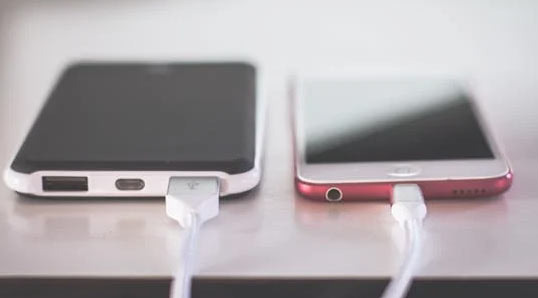
I tend to like many IT electronic products that I inevitably have to use in my life.
As I buy and use things like phones, printers, cameras, Bluetooth speakers, webcams, and external hard drives one by one, there is something that naturally follows.
It's the USB cables. But this is a bit strange. Each product requires a different cable. Even if they are all called USB, their shapes and performances differ, and there are too many types. As a result, frustration gradually builds up. Why are there so many USB types, and why is it made so complicated?
At first, it was simple. You just needed to know about the USB-A, the rectangular port we commonly know. The USB used to connect a mouse or keyboard to a computer. But somehow, after that, the types increased. The phone charging cable was Micro USB, and then one day it changed to USB-C, the camera uses Mini USB, and the printer uses a somewhat angular and flat USB-B type. Each product uses a different port, and to connect them, you need the corresponding cable.
The problem is that all these cables look similar. Some may appear to be USB-C on the outside, but when connected, they only charge and do not transfer data. Some USB-C cables charge well but do not support fast charging, while others can output video. Even though the names are the same, their performances differ, and their appearances are identical, making it impossible to tell just by looking. To distinguish them, you have to check the packaging or specifications, but it's hard to do that in everyday life.
When USB-C was introduced, I had high hopes. I thought all devices would be unified under one port. If laptops, phones, external hard drives, and monitors could all connect and charge with just USB-C, and also support video output and data transfer, it would be really convenient.
But reality was not that simple. Even USB-C cables vary in price and functionality. Some only support 5W charging, while others can support up to 100W. Some are USB 2.0, while others are 3.1 or 3.2. Moreover, Thunderbolt cables need to be categorized separately.
As this complexity arose, people like me ended up collecting adapters. USB-A to C, USB-C to A, USB-B to A, C to HDMI, C to Micro, and so on, and as these adapters piled up, one drawer became entirely dedicated to adapters. To find the necessary adapter, I have to sift through similar-looking ones every time, and the more urgent the situation, the more stress it causes. When going out or on a business trip, I have to write a checklist of which cables to bring.
Thinking about it, this problem seems to stem from the diversity of devices. Since each product has different functions and purposes, the required ports were designed differently, and the power levels and data transfer speeds had to match, leading to various specifications. Technology continues to advance, and new products keep coming out, but the way to connect them has not been unified and continues to diversify, resulting in increased complexity for users.
In the end, this is not just a simple connection issue; it seems to illustrate how technology creates convenience while simultaneously introducing new inconveniences. Even plugging in a USB these days is not a straightforward task. It takes time to figure out what to plug in, which cable is correct, and if you mistakenly buy the wrong one, you have to go back to exchange it. Understanding that similar-looking cables have different functions requires a bit of technical study.
I still love electronic products. I feel excited when I handle new devices, and I expect they will make my life a bit easier. However, every time I try to connect these devices, I experience these small frustrations, and the world of USB that makes me ponder over cables for a long time sometimes feels excessively complicated. The advancement of technology should ultimately aim to provide users with a better experience, shouldn't it?
But looking at the current USB standards, they feel overly complicated and less user-friendly.



 eatontown blog |
 Toaster Pizza Magic Show |
 US Embassy |
 fortbliss |
 Folding Instructions |
 moodansa 77 |
 sun walker |
 moo moo |

 Trot King News |
  Tonky |
  viroma |
  cookie |
  Live and that's it |
  Alright Twain |
  HAWAII Korean Church News |
  Amore |
  linex |
  Balancework |
  laro90 |
  MEDBIO American Doctor Blog |
  SWAT TEAM BLK |
  DREAM BIG |
  frostbite |
  330 Forever My Love |
  El Dorado |
  dralix58 |
  Gorama Round |
  Skydiving |