
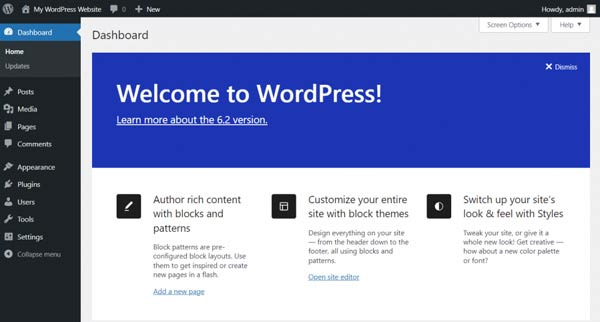
While using WordPress, one day you might find thousands of strange posts appearing without the administrator's knowledge, and the site can become a mess.
When you wonder, "When did I post this?" it usually indicates that a hacker is exploiting your site with automated `POST` requests.
Currently, there are two common methods that hackers prefer. One is `XML-RPC`, and the other is REST APIs like `wp-json/wp/v2/posts`.
Thanks to the structure that allows easy automatic posting, it can be easily abused. So how can we prevent this?
Are spam posts constantly appearing? This is a really common attack.
Suddenly, there are posts appearing that I didn't write, and they can range from advertisements to adult content.
Most of the time, external sources send `POST` data to the WordPress site to create posts, and the method to block this is simpler than you might think.
Disable REST API for Non-Logged-In Users
While REST API is convenient, if it's accessible to everyone, it's like an all-you-can-eat buffet for hackers.
You need to block REST API access for users who are not logged in. Here's how to do it. Add the following code to `functions.php`.
php

add_filter('rest_authentication_errors', function ($result) {

    if (!is_user_logged_in()) {

        return new WP_Error('rest_cannot_access', 'REST API is disabled for unauthenticated users.', array('status' => 403));

    }

    return $result;

});
This way, at least the API will be closed to users who are not logged in.
Block POST Requests from Paths Other than wp-admin
WordPress uses `POST` requests for writing posts, comments, and logging in. However, if suspicious `POST` requests keep coming from paths other than `wp-admin`, the spam possibility is 99.9%. Below is how to block it using `.htaccess`.
apache
RewriteEngine On
RewriteCond %{REQUEST_METHOD} POST
RewriteCond %{REQUEST_URI} !^/wp-admin
RewriteCond %{HTTP_REFERER} !^https://(www\.)?yourdomain\.com [NC]
RewriteRule .* - [F]
Just change the yourdomain.com part to your own site address.
Even doing this one or two times can significantly reduce spam traffic.
Surprisingly, some themes or plugins may contain code that automatically generates posts from external requests. This is especially true for marketing automation plugins. Search for `wp_insert_post()` functions or `wp_ajax_` related functions in your code editor. If you find anything suspicious, it is recommended to disable or delete it.
Finally, let me share a few more basic security settings.
* Keep automatic updates for themes/plugins enabled.
* Make your admin password at least 16 characters long with special characters!
* Having at least one security plugin is essential. (Recommended: Wordfence, iThemes Security)
* Check file permissions: set `wp-content/uploads` to `755`, and the rest to `644`.
WordPress is attractive, but it is equally attractive to hackers.
If any of these three—REST API, XML-RPC, or external POST requests—are vulnerable? In no time, you could find 5,000 spam posts appearing overnight.
So start blocking them one by one now. It's better than regretting it later.








 California Kangaroo |
 Reggae Party |
 Story Bank |
 Shining Our Own World |
 Korean Mom |
  My NYC |
  moo moo |
  Mr Oh |
  forevergee |
  festival |
  manchester |
  constant |
  Leapfrog Move |
  vibranto |
  Tora Tora |
  yellowbutter |
  Dolly |
  US Embassy |
  NYC saladbar |
  Finding Superfoods |
  lightyear |
  song bang |
  vexomo |
  Indiana Jones |